

Users want seamless experiences across all devices and immediate access to content in today’s fast-paced digital world. The expectations are clear: quick load times, dependable performance, and the ease of an app-like experience without the trouble of downloading and updating, whether on a laptop, tablet, or smartphone. This is where Progressive Web Apps (PWAs) come in, offering businesses and developers a unique solution to meet these demands.
Progressive Web Apps are web applications built with standard web technologies such as HTML, CSS, and JavaScript, designed to deliver a native, app-like experience across all devices from a single codebase.
PWAs combine the best of the web and mobile apps, providing users with fast, engaging, and reliable experiences while also offering developers cost-effective, cross-platform solutions. In this blog, we’ll explore what PWAs are, their key features, benefits, and why they’re becoming the go-to solution for businesses worldwide.
What is a Progressive Web App?
A Progressive Web App (PWA) is a web application that takes advantage of modern web technologies and design principles to deliver an experience that mimics the behavior of a native mobile app.
PWAs are built using standard web technologies like HTML, CSS, and JavaScript but are designed to function across all platforms (mobile, desktop, and tablet) with performance, reliability, and speed in mind. Unlike traditional mobile apps, PWAs do not require installation from an app store; they can be accessed directly from a browser and even installed on a device’s home screen.
Key Features of Progressive Web Apps

1. Service Workers: Power Behind Offline Capabilities
One of the most innovative features of PWAs is the use of service workers. These JavaScript files run in the background, enabling offline functionality, caching, and push notifications. With service workers, PWAs can continue to function even when the device is not connected to the internet, making them a reliable option for users with intermittent or no connectivity. The ability to work offline gives PWAs a significant edge over traditional web applications, which require constant internet access.
2. Web App Manifest: Defining the User Experience
The web app manifest is a JSON file that defines how a PWA appears to the user when installed on their device. This file includes essential information such as the app’s name, icons, start URL, and theme colors, ensuring that the app provides a seamless, native-like experience. The manifest also allows the PWA to be installed directly on the user’s device, bypassing the app store entirely. This makes PWAs easily accessible and minimizes the barriers for users to engage with the content.
3. App-like Experience with Full-Screen Mode
PWAs are designed to provide an app-like experience without the need for app store downloads. They can be installed directly onto a user’s home screen and launched in full-screen mode, offering a standalone experience without the browser’s URL bar. This feature is crucial for providing a distraction-free environment, making PWAs feel just like a native app in terms of usability and engagement.
4. Speed and Performance: Near-Instant Loading
PWAs prioritize fast loading speeds, ensuring that users have an optimal experience regardless of their connection. By utilizing smart caching strategies and asynchronous loading, PWAs can deliver near-instant loading times even on slow networks. This ensures that users don’t face the frustrations of slow load times, ultimately improving retention and satisfaction.
Why Progressive Web Apps Are Beneficial for Businesses

Progressive Web Apps are not only advantageous for users but also offer significant benefits for businesses and developers. Below are some key reasons why PWAs are becoming the go-to solution:
1. Cross-Platform Compatibility
PWAs are built using a single codebase, meaning businesses only need to develop one version of their app that works across multiple platforms, including Android, iOS, and desktop. This is a massive advantage over native apps, which require separate development for each platform, leading to higher costs and longer development times.
2. Cost-Effective Development
Since PWAs only require a single codebase, businesses save money on development and maintenance. Unlike native apps that need to be updated separately for each platform, PWAs update automatically, ensuring that users always have access to the latest version without any manual updates. This reduces maintenance costs and makes PWAs a more affordable option for businesses.
3. SEO-Friendly and Discoverable
Unlike traditional native apps, PWAs are discoverable by search engines. This is a game-changer for businesses that rely on organic traffic to drive growth. Since PWAs are essentially websites, they can be indexed by search engines, which means they can rank in search results and attract more visitors. This makes PWAs a great option for improving visibility and SEO performance.
4. Higher Engagement and Retention
One of the standout features of PWAs is the ability to send push notifications. This capability enables businesses to re-engage users and deliver personalized content, improving user retention. Additionally, the fast performance and offline capabilities of PWAs ensure that users have a seamless experience, leading to higher engagement rates and longer session times.
Real-World Examples of Progressive Web Apps
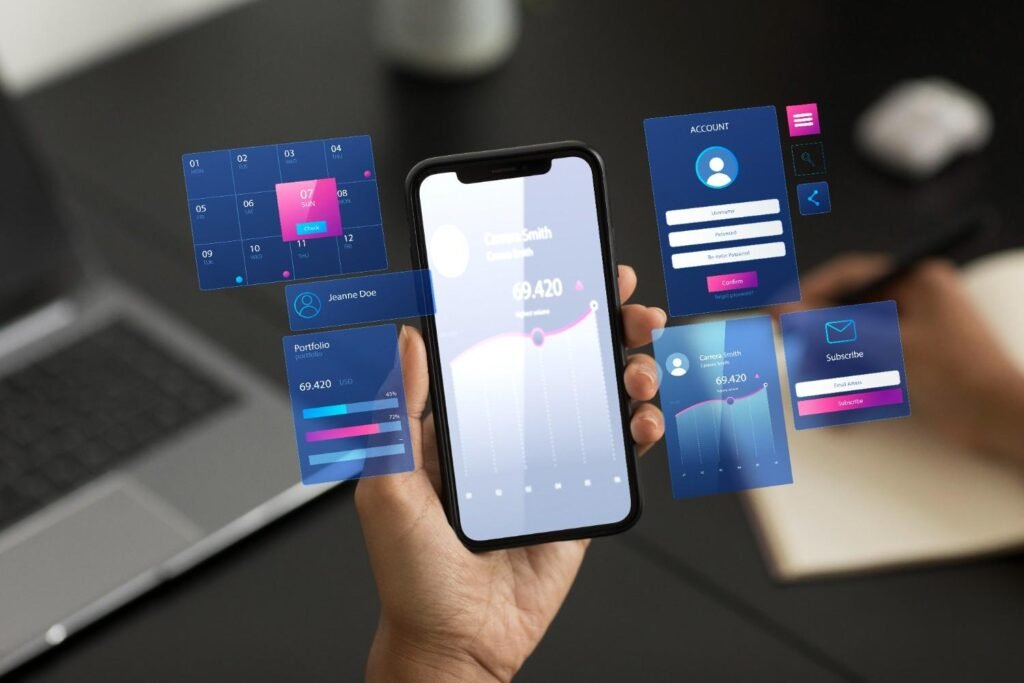
Many businesses have successfully adopted PWAs and seen measurable improvements in user engagement and performance. Here are a few examples:
- Pinterest: By switching to a PWA, Pinterest improved its load times and saw a significant increase in user engagement, leading to higher ad revenue.
- Twitter Lite: Twitter’s PWA has led to increased user retention, with faster load times and a more app-like experience on mobile devices.
- Forbes: Forbes adopted a PWA to improve site performance, resulting in a faster user experience and higher audience engagement.
Frequently Asked Questions (FAQs)
1. What are the main benefits of Progressive Web Apps?
PWAs offer fast performance, offline capabilities, and the ability to send push notifications. They also provide a single codebase for all platforms, saving time and costs for businesses. Additionally, PWAs are SEO-friendly and can be indexed by search engines, improving discoverability.
2. Can PWAs work offline?
Yes, PWAs are designed to work offline or in low-network conditions. This is possible because service workers cache key assets, allowing the app to function even when the user is disconnected from the internet.
3. Are PWAs better than native apps?
PWAs provide a cost-effective alternative to native apps, offering fast performance, offline capabilities, and SEO benefits. While native apps may still be necessary for certain advanced functionalities, PWAs are an excellent choice for businesses looking to reach a wider audience with a seamless, app-like experience.
4. How do I install a PWA?
PWAs can be installed directly from a browser by clicking the “Add to Home Screen” prompt. No app store is required, making it a simple and quick process for users.
Why PWAs Are the Future of Web Apps
Progressive Web Apps are revolutionizing the way businesses and developers approach web applications. With benefits like offline functionality, fast loading speeds, and push notifications, PWAs offer a seamless, app-like experience without the need for app store downloads.
They also improve SEO performance, reduce development costs, and increase user engagement, making them a smart choice for businesses looking to stay ahead in the digital landscape. As the web continues to evolve, PWAs are poised to become the standard for web applications across industries.